Funky Smiles Live Wallpaper
Wallet Passes AlliancePersonalization
4.727.00 Reviews
- Version
- 2.1.0
- Installs
- 5.00M
- Age Rating
- Everyone
Screenshots
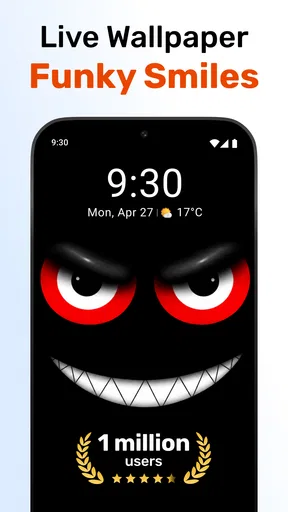
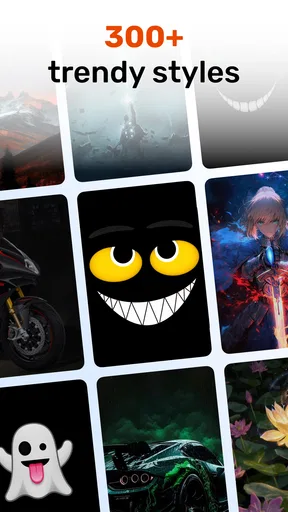
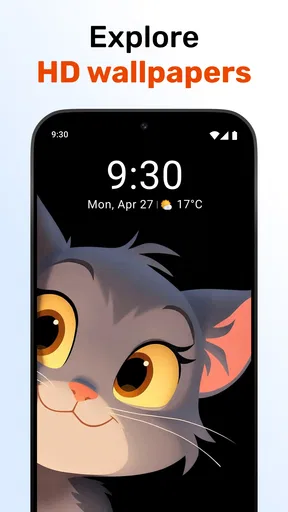
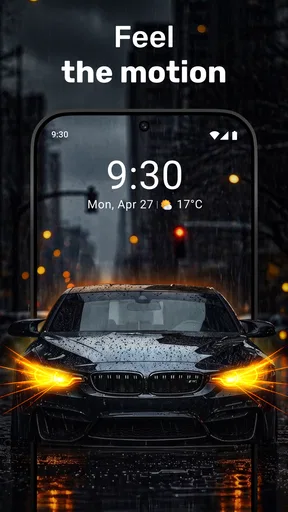
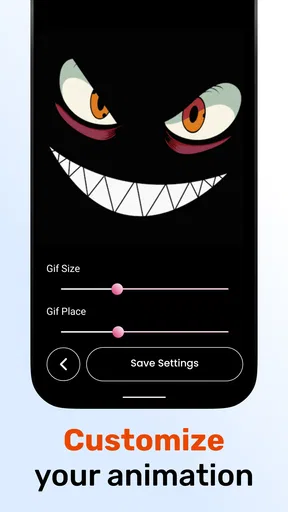
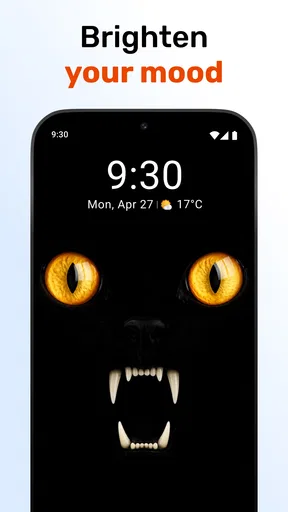
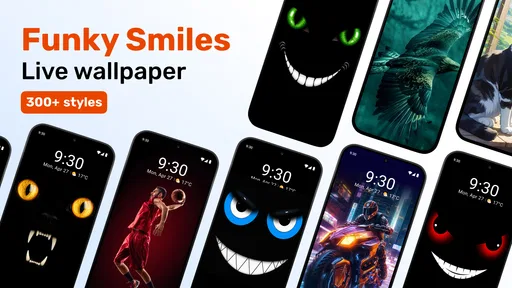
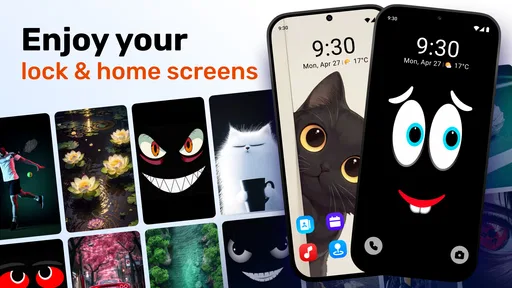
Our Review of Funky Smiles Live Wallpaper
 Analysis by Appyee
I tend to notice a wallpaper most when I’m waiting for something: checking the time in a queue, glancing at my phone between messages, or picking it up after a long stretch at work. A live background can make those small moments feel less plain, but it also needs to stay pleasant after the novelty wears off. Funky Smiles Live Wallpaper is aimed at people who want a playful look built around animated smiley designs, rather than a realistic photo or a restrained abstract background. My impression is that its appeal depends less on deep customization and more on whether you enjoy seeing a bright, cheerful visual whenever you unlock your phone.
Where the network can shape the experience
Live wallpaper apps often involve a few distinct steps: discovering designs, choosing one, and applying it as the phone background. Those steps can feel different depending on whether you’re browsing on a strong connection or using a mobile network that is slow or limited. I’d treat the design-selection stage as the point where connectivity is most likely to matter, and make a choice while you have a dependable connection rather than assuming every part of the experience behaves the same way later.
That is a practical distinction, not a claim that the wallpaper requires constant internet access. The experience is primarily about what appears on your screen, while the app’s summary presents a collection of animated and cool wallpaper options. If you’re deciding whether this suits you, think about how you usually personalize your phone: someone who likes to browse and change looks regularly may care more about reaching the selection easily, while someone who picks one background and leaves it in place may care more about how it feels during ordinary daily use.
A playful look in real mobile contexts
On a commute, a cheerful background can make quick checks of the lock screen feel a little less routine. At a desk, the animated smiles may be a welcome bit of personality, though they could also feel distracting if you keep your phone beside your keyboard and glance at it often. I’d choose a calmer-looking design for a workday when I need fewer visual interruptions, and save the louder colors for personal time. The useful question is not simply whether the wallpaper is fun, but whether you still like it after seeing it dozens of times.
It may also suit a phone that feels overly formal or visually dull. A smile-themed animation gives the screen an unmistakably light tone, so it works best when that tone matches your taste. If you prefer minimal icons, muted backgrounds, or a photograph that has personal meaning, this is probably not the right direction. The app’s niche is its expressive, upbeat style; that focus is also its main limitation for anyone who wants a broader range of moods.
What to do when selection or setup feels slow
If a design takes longer than expected to appear, I wouldn’t immediately assume the wallpaper itself is broken. A slow connection can affect browsing, and the phone may also need a moment to apply a live background. A sensible first check is to wait briefly, then return to the design screen and try the selection again. If the issue appears only when your signal is poor, try browsing when you have a steadier connection; if it continues, restarting the app is a reasonable next step before changing other phone settings.
There is a separate source of friction with live wallpapers: the phone’s own personalization controls. Applying a background can involve choosing where it appears, such as the lock screen or home screen, and the available choices can vary by device. I’d follow the system prompts carefully and check the result on both screens instead of assuming the change has been applied everywhere. This small check can save the annoyance of thinking the app failed when the phone simply placed the wallpaper in a different spot than expected.
Using it thoughtfully on mobile data
If you have a tight data allowance, browse and settle on a design while connected to Wi-Fi where practical. That is a general way to keep wallpaper discovery from competing with more important mobile use; it is not a promise about how this particular app handles network traffic. Once you have selected a look, avoid repeatedly reopening the browsing experience just to inspect the same options. A little planning is especially useful if you’re setting up a phone while travelling or relying on a limited connection.
Battery expectations deserve a similar common-sense approach. A moving background is visually different from a still image, but the amount of power it uses can depend on the phone, display settings, and how often the screen is active. I would not assume that every device will behave identically. If battery life matters more than animation, use a static background instead; if you enjoy the motion, try it through a normal day and decide based on your own phone rather than relying on blanket claims.
First Impressions: A Splash of Color
Right off the bat, Funky Smiles Live Wallpaper captures your attention with its lively and cheerful aesthetic. The installation process is straightforward, and before you know it, your screen is transformed into a palette of smiles and colors. It’s like having a little party right on your phone.
Features that Stand Out
What really dazzles here are the customization options. You can tweak the colors, adjust the animation speed, and even choose different smiley designs. It’s versatile enough to match whatever mood you're in. Feeling a bit down? Switch to a more mellow color scheme. Ready to celebrate? Crank up those bright, happy hues.
The app also offers a unique interactive feature. When you swipe across the screen, the smiles react with playful animations. This little touch adds a lot of charm and makes the experience more engaging.
User Experience: Smooth Sailing
As someone who's navigated countless apps, I’m pleased to report that using Funky Smiles is a breeze. The interface is intuitive, designed with the user in mind. Even if you’re not tech-savvy, you’ll have no trouble navigating through the settings and making the wallpaper your own.
Another major plus is the app’s performance. It runs smoothly without draining your battery, a rare find among live wallpapers. So, you get to enjoy the funkiness without worrying about your phone dying before lunch.
Compatibility and Performance
Whether you’re on Android or iOS, Funky Smiles has got you covered. The app is optimized for both operating systems, ensuring a seamless experience regardless of your device. During my testing, it performed consistently well across different screen sizes and resolutions.
And let's not forget about resource usage. The app is designed to be lightweight, so it won’t hog your phone’s memory or slow it down. It’s like having the best of both worlds — stunning visuals without any performance hiccups.
Potential Improvements
While Funky Smiles brings a lot to the table, there’s always room for improvement. One feature I’d love to see in future updates is the ability to sync themes with music. Imagine the smiles dancing to your favorite tunes — now that would be something truly funky!
Additionally, expanding the library of smiley designs could make the app even more appealing. Having a wider variety of expressions would cater to a broader audience and keep the experience fresh over time.
How it compares with other ways to personalize
The usual alternatives are a still photo, a built-in animated background, or another wallpaper app with a wider visual range. A photo is the better choice if you want a personal image and predictable simplicity. A phone’s included options are convenient when you want a quick change without exploring a separate collection. Funky Smiles makes more sense when the specific attraction is animated, smile-focused art and the ability to adjust its look. It is a focused choice, not an all-purpose personalization toolkit.
One useful way to judge it is to try a design that fits your most common screen use, rather than picking the most vivid option first. If you often check notifications while concentrating, a less intense color combination may be easier to live with. If the phone is mostly for entertainment, a more energetic look can feel right. That small bit of matching can make the wallpaper feel intentional instead of like a novelty you’ll remove the next day.
Who is likely to enjoy it, and who may not
I’d recommend it to someone who likes cheerful visual details, enjoys changing their phone’s appearance, and wants a background with more character than a static color. It can also be a fun choice for a personal device used in relaxed settings, where a lively screen feels welcome rather than distracting. The app is free to start, and the Everyone age rating makes its broad, smile-centered theme easy to understand for a general audience.
I’d steer away from it if you prefer a calm, understated screen, rely on a fixed photograph, or are particularly sensitive to motion. It may also be the wrong fit if you expect a wallpaper app to offer an extensive art library or sophisticated device-wide theme controls. The developer is Wallet Passes Alliance, and the app sits in the personalization category; its specific identity is the animated smile aesthetic, not an attempt to cover every kind of screen makeover.
Making a sensible first choice
For a realistic setup, I’d install it when I have a few minutes to explore rather than changing wallpapers in a hurry on the way out. I’d select one design, apply it, then use the phone normally through a workday and an evening. That gives me a fair sense of whether the animation is charming during brief checks or starts competing with what I’m doing. If I find myself noticing it only when I want to, that is a good sign; if my eyes keep drifting to it, a quieter design or a static image would serve me better.
It is also worth treating customization as a small experiment. Change one aspect at a time, such as color or animation speed, so you can tell which adjustment actually improves the result. Switching several settings at once makes it harder to identify why a design feels better or worse. This is a low-effort way to avoid cycling through choices repeatedly, which is useful both for your patience and when you are using a limited connection.
Practical details before installing
The app is free, with in-app purchases listed from $0.99 to $99.99 per item, so I’d look closely at any purchase prompt and make sure it matches what I actually want before confirming. The current version is 2.1.0, and it requires Android 8.0 or later. It has a 4.7 average from around 9.4 thousand ratings, with more than 1 million installs. Those figures suggest that many people have tried it, but they cannot tell you whether its cheerful style will suit your own screen habits.
For readers wondering whether it is a sensible choice for a shared or family phone, the Everyone content rating is reassuring in terms of the app’s general presentation. For someone wondering whether it will work on a particular device, the Android requirement is the key compatibility detail to check. And if the real concern is whether a live background is preferable to a regular one, I’d decide based on how much you value movement: a still wallpaper is the simpler option, while this app is for adding a visibly animated touch.
Final Thoughts: A Joyful Addition
Overall, Funky Smiles Live Wallpaper is a delightful app that succeeds in its mission to brighten up your screen and your day. It’s a fantastic choice for anyone looking to add a splash of color and personality to their phone. With its easy-to-use interface, impressive performance, and fun features, it’s definitely worth checking out.
So, if you’re ready to give your phone a funky makeover, head over to your app store and download Funky Smiles Live Wallpaper today. Trust me, your screen will thank you!
Verdict
Strengths of Funky Smiles Live Wallpaper
- Vibrant and dynamic visuals.
- Customizable features for personalization.
- Minimal battery consumption.
- User-friendly interface.
- Regular updates with new themes.
Limitations of Funky Smiles Live Wallpaper
- Limited free options available.
- Contains in-app advertisements.
- Occasional lag on older devices.
- Requires internet for some features.
- No landscape mode support.
Other Releases by Wallet Passes Alliance
View All
WalletPasses | Passbook Wallet
Travel & Local4.5

House Design Plan 3D App
House & Home4.0

Mirror Link
Libraries & Demo3.2

Flymat: Live Flight Tracker
Travel & Local4.3
Similar Picks in This Category
View All
Microsoft SwiftKey AI Keyboard
SwiftKey4.3

Wallpapers
Google LLC4.1

Zedge™ Wallpapers & Ringtones
Zedge4.7

Yandex Browser with Alice AI
Direct Cursus Computer Systems Trading LLC4.3

Ringtone Maker:create ringtone
Big Bang Inc.4.7

Fonts Keyboard
Fonts Keyboard3.9
Frequently Asked Questions
What is Funky Smiles Live Wallpaper?
Funky Smiles Live Wallpaper is a dynamic and customizable wallpaper app for Android and iOS that brings your screen to life with animated smiley faces. It offers a variety of vibrant and fun designs to choose from, allowing users to personalize their device's background with ease.
How do I customize my wallpaper in Funky Smiles Live Wallpaper?
Customizing your wallpaper in Funky Smiles Live Wallpaper is simple. Once you open the app, you'll find a selection of animated smiley designs. You can choose your favorite, adjust animation speed, and even change the background color to match your mood or style preferences.
Does Funky Smiles Live Wallpaper drain battery life?
Funky Smiles Live Wallpaper is designed to be energy efficient. While live wallpapers can use more battery than static ones, this app minimizes usage by optimizing animations and using fewer resources. However, users may still notice a slight impact on battery life depending on device settings.
Is Funky Smiles Live Wallpaper free to download and use?
Funky Smiles Live Wallpaper offers a free version with basic features. However, there are in-app purchases available for users who wish to unlock premium designs and additional customization options. The app ensures a delightful experience regardless of the version you choose.
Can I use Funky Smiles Live Wallpaper on all devices?
Funky Smiles Live Wallpaper is compatible with most Android and iOS devices. However, older models may not support the full range of animations due to hardware limitations. It's recommended to check your device's compatibility on the app store page before downloading.
